
What is a Cryptocurrency Electronic Wallet?
A cryptocurrency electronic wallet is similar to a regular bank card where your funds are stored. However, in this case, your virtual currency is stored instead of fiat money. Crypto wallets can be of different types: a special computer program, a mobile application for smartphones or tablets, or an online crypto wallet. Most cryptocurrency exchanges automatically provide an account for storing digital assets after registration.
The criteria for choosing a crypto wallet depend on many factors. The most important are reliability and the ability to securely store your private key or seed phrase (a sequence of twelve or twenty-four specific words in English that give access to your virtual currency stored in the wallet).
Just like fiat money is stored in a bank account rather than on a card, virtual currency is not stored on the wallet itself but on the blockchain. Electronic wallets exist to manage private keys conveniently and to access your funds.
By storage type, wallets are divided into hot wallets (requiring an Internet connection) and cold wallets (without a connection). Additionally, there are multi-currency wallets and single-currency wallets for one type of crypto.
Large amounts are best stored in hardware wallets. For traders who actively operate on exchanges, storing crypto directly on the platform might help avoid transaction fees.
For everyday use, mobile or desktop wallets (installed on a PC) are a good choice for sending, receiving, and managing funds. Online wallets are suitable for beginners starting to explore the crypto world, but it is better not to store large sums there.
If you’re unsure which type suits you best, you can create multiple wallets and combine them. We will discuss storage options for cryptocurrencies further below.
Structure of a Cryptocurrency Wallet
The main purpose of a crypto wallet is to assist users in managing digital assets.
To start working with virtual currencies, you need a specialized program — a cryptocurrency wallet — integrated into a hardware, software, or exchange environment. It also provides access to the blockchain system, allowing you to create and execute transactions.
A crypto wallet, regardless of its environment, is equipped with a private key and a public key.
The private key is a security key generated cryptographically from random numerical values. It cannot be decrypted or hacked. It is represented as a 16-character number and consists of 32 bytes or 256 bits. The private key is used to sign transactions, which are then sent to the network for approval before reaching the recipient.
The public key is an open code accessible to any user. It contains a combination of letters, symbols, and numbers and is necessary to receive funds into a crypto wallet.
Is Using a Crypto Wallet Secure?
The best crypto wallets are the most secure ones. In the virtual currency system, the safety of your personal account is maintained by a network of miners who validate operations and secure the system with high-speed processing algorithms. Hacking the existing level of security is theoretically possible but would require enormous computational power. For instance, a hacker aiming to commit double-spending on Bitcoin’s blockchain would need a computational power exceeding that of the entire network’s miners combined, and still would have only a chance of success after surpassing 51% of the total network power.
Custodial Wallet
A custodial crypto wallet is a program intended for transferring and storing virtual currencies. Its main characteristic is that the custodian (operator) controls users’ addresses or has access to their private keys. Additionally, users must verify their identity (KYC procedure).
Centralized exchanges typically offer built-in custodial wallets. Even though each user has an individual account and balance, the actual funds are stored in a few addresses controlled by the exchange. This makes working with trading tools easier and often fee-free for internal transfers.
Drawbacks:
The main disadvantage of custodial wallets is that the operator has access to users’ assets. Centralized custody of a large amount of crypto makes exchanges a prime target for hackers, potentially resulting in client losses. Moreover, exchanges, being legal entities, must comply with regulations and can freeze accounts or provide user information to authorities if required.
Another disadvantage is possible downtime during technical maintenance, when users may lose access to their funds temporarily.
Non-Custodial Wallet
A non-custodial crypto wallet gives users full control over their assets through personal private keys. Such programs cannot freeze or control user funds and are not responsible for asset security.
Typically, these wallets can be installed on a personal computer, phone, or browser. No identity verification is required to generate an address via a non-custodial application.
Another security guarantee is the open-source nature of these wallets, allowing independent verification of their safety.
Which Wallet is Better: Custodial or Non-Custodial?
Virtual currencies and assets used for trading or investing can be stored on custodial wallets (e.g., on exchanges). However, it is crucial to strengthen account security by enabling two-factor authentication.
Unused cryptocurrencies are better stored in personal non-custodial wallets, where only you possess the private keys.
“Hot” and “Cold” Cryptocurrency Wallets
All crypto wallets are classified as hot or cold. Beginners may prefer hot or software wallets, as they are easier to use across various platforms and devices.
Hot wallets require an Internet connection and are considered less secure and more vulnerable to hacker attacks due to their online nature. However, they are more convenient for quick transactions.
Cold wallets, such as hardware wallets, are offline devices like USB drives or Secure Element chip devices. They offer better security but are less convenient for frequent transactions.
Types of Cold Crypto Wallets
Hardware Wallets
Buying a hardware crypto wallet means purchasing a physical device that randomly generates private and public keys stored within it. These wallets are highly secure but may experience technical malfunctions, which can be mitigated by choosing a reputable manufacturer.
Hardware wallets are mainly used for long-term storage rather than daily transactions.
Software Wallets
- Desktop wallets are programs installed on PCs, giving users full control over their assets and keys. Important files (wallet.dat) must be password-protected and backed up securely.
- Mobile wallets are smartphone apps allowing users to buy and sell crypto easily, often via QR codes.
Security measures include backing up the seed phrase and protecting the wallet with strong passwords. Frequent users should choose wallets that sync with crypto exchanges.
Paper Wallets
Paper wallets involve printing key information offline, removing the risk of online hacking. However, loss or damage of the paper could result in permanent loss of access to funds.
Multi-Currency Wallets
These wallets allow holding different types of cryptocurrencies and may come as hardware, mobile, or desktop versions.
How to Choose a Cold Wallet?
- For small amounts, paper wallets are suitable.
- For large amounts, hardware wallets (crypto USB drives) offer the best security.
- For those afraid of losing a device, mobile or desktop wallets are safer.
If choosing a mobile or desktop wallet, pay attention to:
- Official developers,
- User-friendly interface,
- Strong security standards.
Regardless of the wallet type, always back up your password, private key, or seed phrase securely.
How a Hardware Crypto Wallet Works
Hardware wallets store your data offline, resembling USB drives. Some support Bluetooth connectivity. They use several protection methods like PIN codes or fingerprint scanning and generate private and public keys internally. While hacking them is virtually impossible, physically losing the device could mean losing access to your funds.
Advantages:
- Protected from hacker attacks,
- Independent from platforms,
- Portable worldwide,
- Ideal for long-term crypto investments.
Disadvantages:
- Impossible to recover if passwords or seed phrases are lost,
- Damage to the device can result in loss of assets,
- Transactions require extra time,
- Possible technical failures,
- Physical theft risks (thief cannot access funds, but you lose them too).
How to Transfer Crypto to a Cold Wallet?
There is a famous saying in the crypto world: “Not your keys, not your crypto.” This emphasizes the importance of having your private keys under your control.
Even though crypto deposited on an exchange wallet is yours, the platform controls it. Therefore, withdrawing to a personal cold wallet is preferred for long-term storage.
Example: Withdrawing from Binance to a Ledger hardware wallet.
1. Setting Up the Device as New
Turn on the Ledger device via the button near the USB port. Follow the on-screen instructions: right button to move forward, left to go back. Press both to choose “Set up as new device.”
2. Setting a PIN Code
Press both buttons to choose “Set a PIN code.” Select a 4–8 digit PIN using the left and right buttons. Confirm by pressing both buttons again.
3. Writing Down the Recovery Phrase
The device will display a 24-word recovery phrase once. Write down each word carefully on the provided sheet. Confirm the phrase by selecting the correct words one by one as prompted.
Protecting Your Crypto Assets
- In the device menu, click “Receive,” select the crypto you want to deposit, and copy the displayed address.
- Log in to your Binance account, go to “Wallet” -> “Overview,” and click “Withdraw.”
- Select the cryptocurrency and amount, paste the copied address, and confirm.
Creating an Account
- Turn on the Ledger device, open “Manager,” and install the required crypto apps.
- Click “+ Add account” to create a new crypto account and link it to the app.
After confirmation in the blockchain, your crypto will appear in the Ledger wallet balance. Double-check all information before transferring, as transactions are irreversible.
Top Crypto Wallets
Hardware Crypto Wallets
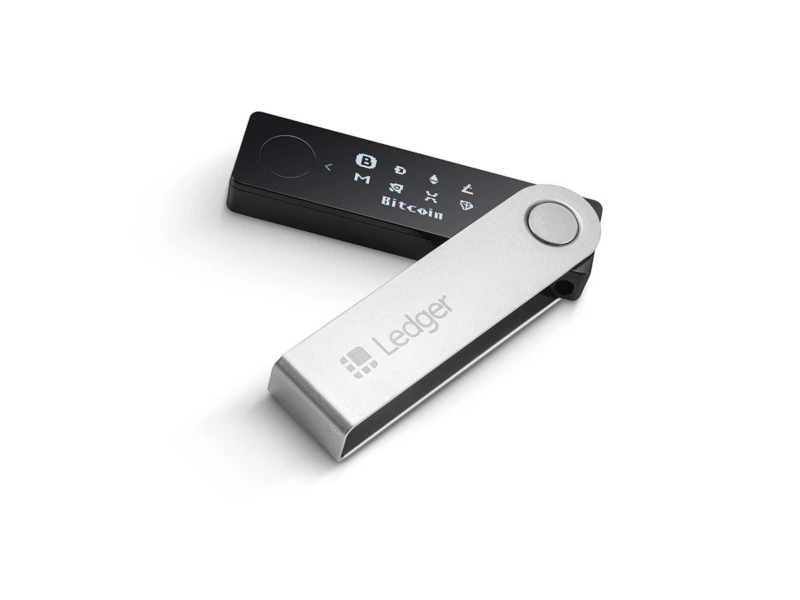
1. Ledger Nano X
This is the latest and most popular model. It looks just like a USB flash drive and supports Bluetooth connectivity. The price is about $150. To start using the wallet, you need to download and install the Ledger Live app, available for both mobile and desktop versions. During wallet setup, you will need to write down a recovery phrase. The entire setup process takes less than half an hour. The device supports over 5000 digital assets. You can buy this cold wallet either directly from the company or from official resellers.
Advantages:
- Russian language support,
- Bluetooth connectivity,
- High level of security,
- Supports many networks and types of cryptocurrencies,
- Token swapping available,
- Can integrate with hot wallets,
- Payments via BitPay,
- Password manager,
- Supports installing over 100 apps at once,
- Staking feature,
- U2F token support.
Disadvantages:
- No delivery to Russia at the moment,
- Separate app installation required for each coin,
- High cost,
- Occasional technical glitches,
- App may sometimes freeze.
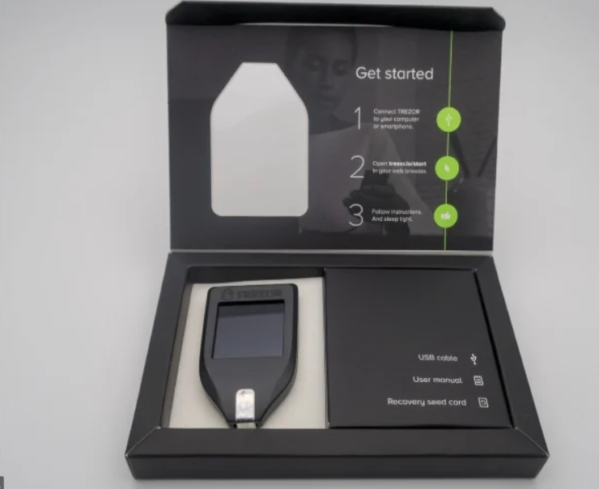
2. Trezor (Model T)
To operate this wallet, you need to use the Trezor Suite desktop app. The device looks similar to a car key and connects to a computer via USB-C. It supports over 1100 types of crypto assets. High security is ensured by requiring physical interaction for transactions. In case the device is lost, you can restore access using the recovery phrase. The price is about €250 plus shipping costs.
Advantages:
- Shipping available to Russia,
- No need to install additional apps,
- Payments possible via BTC and LTC,
- Staking feature,
- Russian language support,
- Password manager,
- Touchscreen,
- U2F token support,
- Own desktop application,
- Can integrate with hot wallets.
Disadvantages:
- No Bluetooth,
- No mobile app version,
- High price,
- There was a case of device hacking,
- Does not support Solana, Polkadot, Tron, and a few other cryptocurrencies.
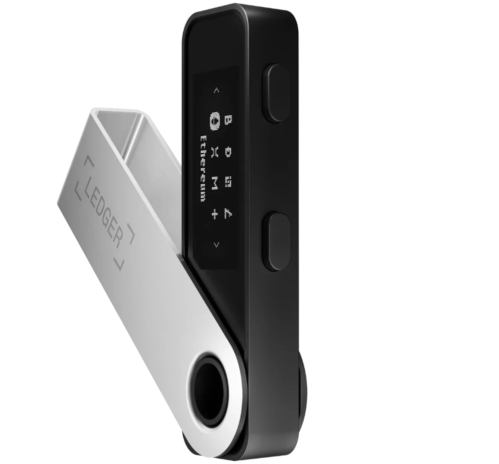
3. Ledger Nano-S Plus
A relatively inexpensive model. It connects to a computer via USB-C. Compared to Nano X, it has less memory and a narrower display. The device supports over 5000 digital assets.
Advantages:
- Low price — about $60,
- U2F token support,
- Password manager,
- Supports many networks and types of cryptocurrencies,
- Can integrate with hot wallets,
- Staking feature,
- Token swapping available.
Disadvantages:
- No Bluetooth,
- No delivery to Russia,
- Occasional technical glitches,
- Small memory size and small display.
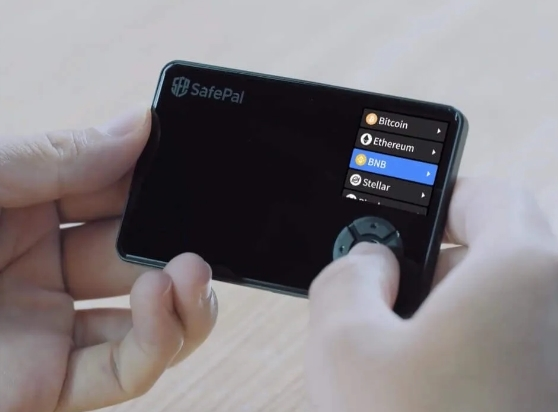
4. SafePal S1
This is the first hardware crypto wallet invested in by Binance. The device does not connect via Bluetooth, USB-C, or Wi-Fi. It has a microcontroller for transaction processing, a secure chip for key storage, and a random number generator. It features a self-destruction system for private keys if tampering is detected.
It operates via the SafePal mobile app using QR codes or fingerprint authentication. The wallet supports over 32 blockchain networks and over 29,000 cryptocurrencies. Crypto buying and exchanging are available inside the app.
Advantages:
- Shipping available to Russia,
- Russian language support,
- One-year warranty,
- Self-destruction system,
- Supports 32 blockchain networks and 29,000+ cryptocurrencies,
- QR code or fingerprint connection.
Disadvantages:
- No staking feature,
- Only available via mobile app.
Software Cryptocurrency Wallets
1. Bitcoin Core
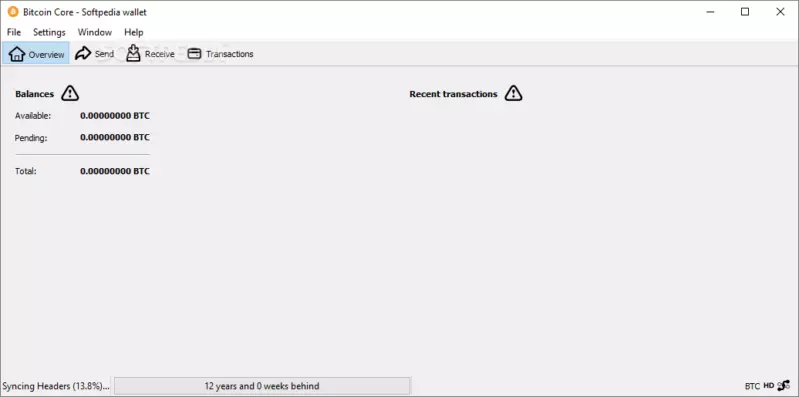
This is the official Bitcoin wallet. The BTC blockchain currently weighs about 410 GB and grows by 5–10 GB monthly. By default, it saves the entire blockchain, but with pruning enabled, you can store just 6 GB. This is a non-custodial wallet, meaning you control all keys and fees. However, it requires technical knowledge and a fast internet connection.
Advantages:
- High security level,
- Free to use,
- Can integrate with hardware wallets,
- Open-source code.
Disadvantages:
- Only supports Bitcoin,
- Requires high-speed internet,
- No mobile version,
- Very large file size.
2. Electrum
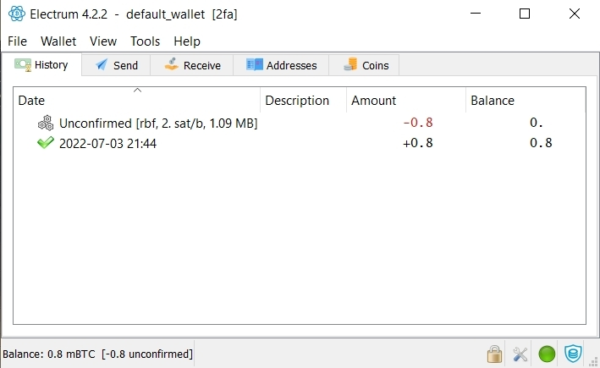
Electrum is a lightweight Bitcoin wallet launched in 2011. It does not require downloading the entire blockchain (400 GB). It has an open-source code and versions for PC and Android. Upon installation, you can create a standard wallet with two-factor authentication or a multi-signature wallet. Key import is also supported via private keys.
Advantages:
- High reliability,
- Free to use,
- Versions available for PC and Android,
- No need to download the full blockchain history,
- Open-source code,
- User-friendly interface,
- Two-factor authentication available,
- Integration with hardware wallets.
Disadvantages:
- Only supports Bitcoin,
- No iOS version,
- Occasional mobile app glitches,
- No Russian language support,
- Limited functionality (only for sending, receiving, and storing assets).
3. Exodus
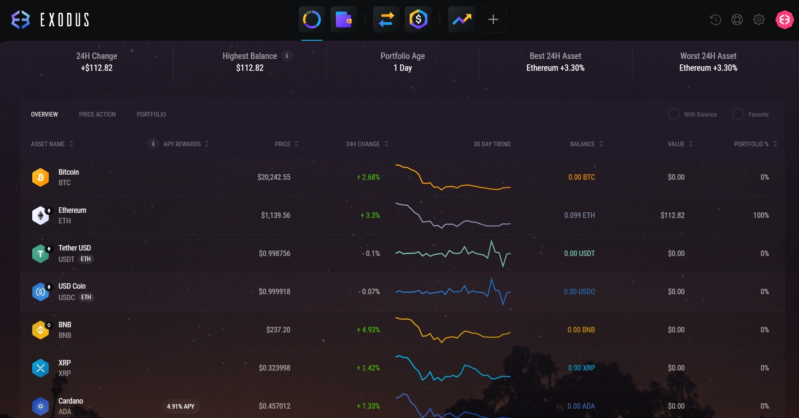
A universal wallet supporting over 210 tokens and some decentralized apps. No seed phrase setup required — the account is created automatically. Inside the wallet, you can buy crypto via bank cards, exchange assets, and view account statistics.
Advantages:
- Versions available for PC and Android,
- Free to use,
- Staking available,
- Account statistics tracking,
- Integration with hardware wallets,
- User-friendly and intuitive interface,
- Ability to buy crypto within the wallet.
Disadvantages:
- Closed-source code,
- No Russian language support,
- Email-based account recovery, which is less secure.
4. Atomic Wallet
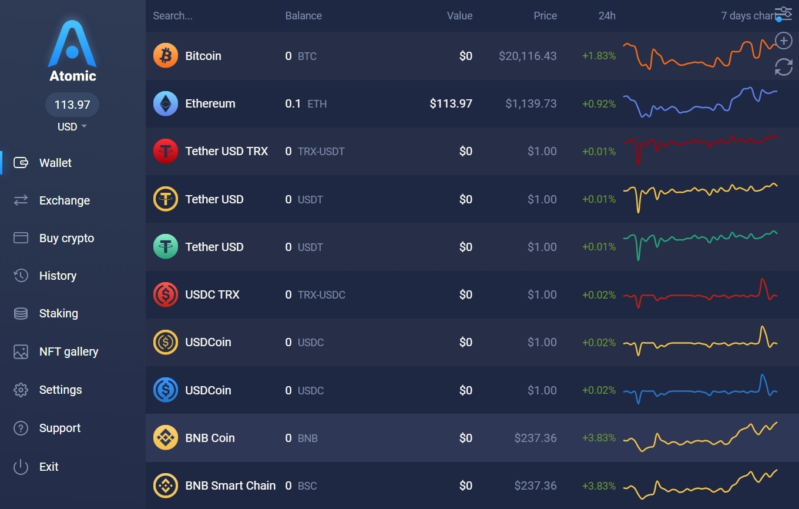
A non-custodial crypto wallet with many features. It offers staking and the ability to purchase crypto with bank cards. It supports over 300 types of coins.
Advantages:
- Desktop and mobile versions available,
- Free to use,
- Staking available,
- Buy crypto with bank cards,
- Ability to add custom tokens,
- Integration with hardware wallets,
- Supports over 300 crypto assets,
- Connection to DeFi protocols possible.
Disadvantages:
- Occasional technical glitches,
- No Russian language support.
5. Guarda
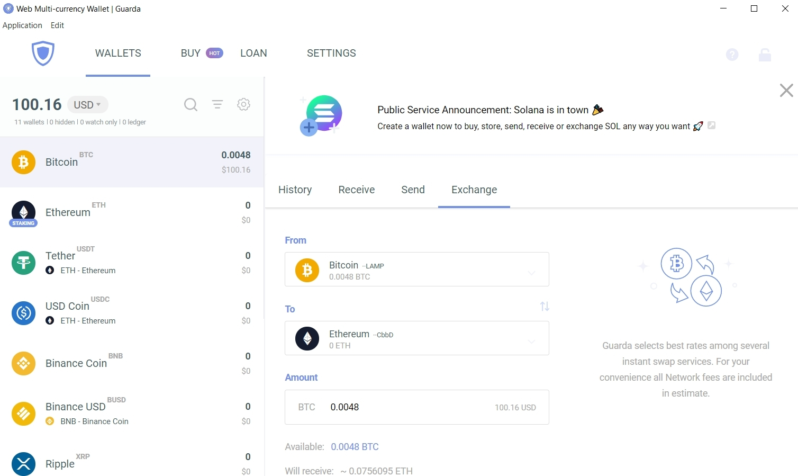
Guarda is a multi-currency crypto wallet designed for crypto exchange, lending, and staking. Before using it, you must create a password and save a backup file. You can only recover access if you have both. It supports 50 blockchain networks and over 10,000 tokens.
Advantages:
- Support for exchanges, crypto loans, and staking,
- Versions available for PC and Android,
- Free to use,
- Options for personal or shared PC usage,
- Ability to purchase crypto using bank cards,
- Integration with hardware wallets.
Disadvantages:
- No Russian language support.
6. Jaxx
Jaxx is a non-custodial multi-currency crypto wallet supporting over 100 cryptocurrencies. It has an integrated payment system to buy crypto via bank cards and an exchange platform.
Advantages:
- News notifications,
- Free to use,
- Versions for PC and mobile devices,
- Russian language interface,
- Crypto asset statistics,
- Ability to purchase crypto via card.
Disadvantages:
- No staking feature.
Mobile and Browser-Based Crypto Wallets
1. Metamask
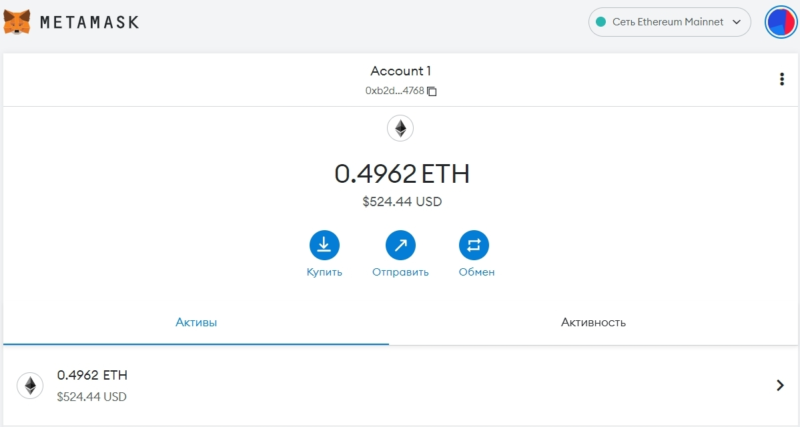
A popular hot wallet. It is convenient to use as a browser extension. Users can view main info like account balance, networks, and perform purchases, transfers, or exchanges. It supports Ethereum and EVM-compatible blockchains only. It is better suited for experienced users since connecting new networks can be tricky for beginners.
Advantages:
- Versions for PC and mobile,
- Free to use,
- Integration with hardware wallets,
- Crypto purchases via bank cards,
- Crypto exchanges possible.
Disadvantages:
- Difficulties in connecting new networks,
- No staking,
- Only one hardware wallet supported in the mobile version,
- Only supports EVM-compatible blockchains.
2. Trust Wallet
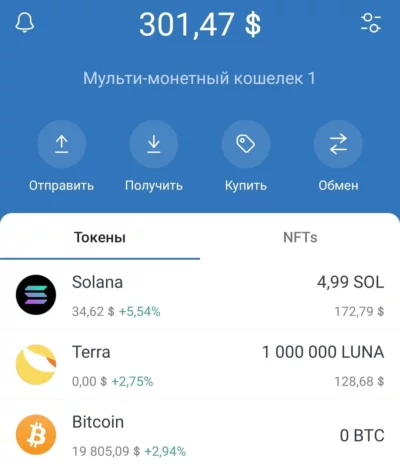
One of the most popular hot wallets, available only as a mobile app. It supports Ethereum, EVM-compatible blockchains, and many others. It offers all essential features: receive, send, and buy tokens. During setup, users must generate a 12-word seed phrase. Great for beginners thanks to its user-friendly interface.
Advantages:
- Russian language support,
- Free to use,
- Staking feature,
- Integration with decentralized apps,
- Crypto purchases via bank cards,
- Supports a wide range of assets and blockchains.
Disadvantages:
- Mobile version only,
- Risk of hacking and loss of funds,
- On iOS, cannot connect to dApps from inside the app.
3. Samourai
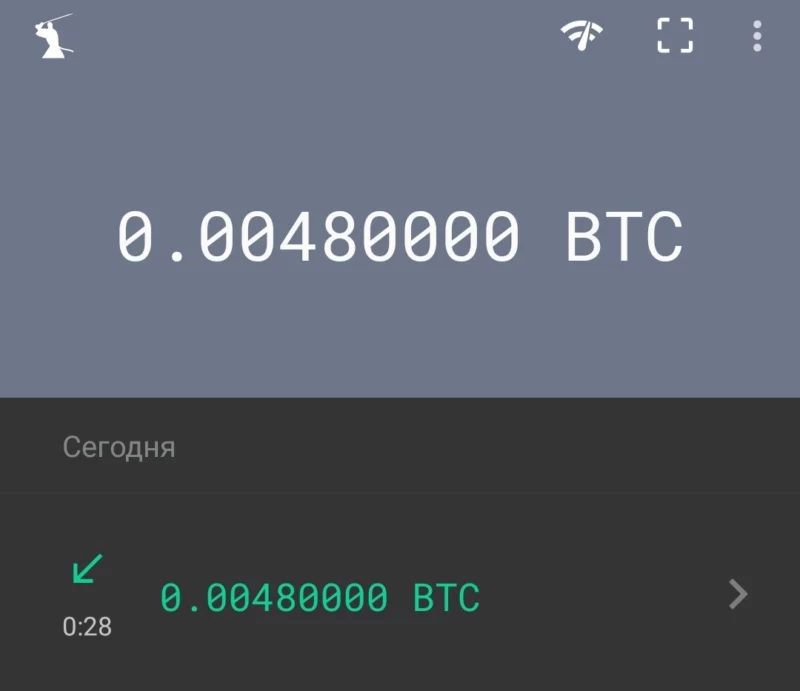
A non-custodial BTC wallet with advanced privacy features — it can erase metadata traces, hide recipient and sender addresses, block malware attempts to hijack the screen, and allow remote account deletion/restoration via SMS commands. Best for experienced users seeking high anonymity.
Advantages:
- Offline mode support,
- Free to use,
- TOR Browser integration,
- PDF seed phrase backup templates,
- Password and PIN protection,
- Advanced features.
Disadvantages:
- Only supports Bitcoin,
- Mobile version only,
- Android-only.
4. MyEther Wallet
One of the best wallets for Ethereum and related tokens. Requires setting up a PIN and a 24-word seed phrase. Mobile version only. It supports hardware wallet connections. Users can exchange ERC-20 tokens, buy/sell Ethereum, transfer tokens between networks, and connect to decentralized apps.
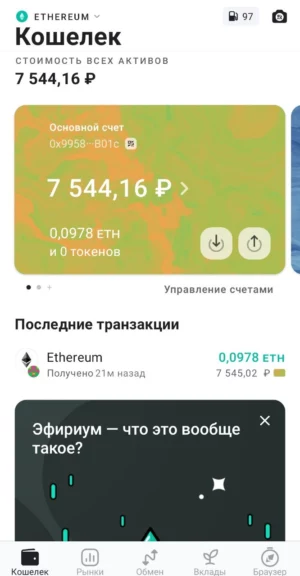
Advantages:
- Russian language support,
- PIN code and seed phrase setup,
- Free to use,
- Staking feature,
- User-friendly interface,
- Asset exchange,
- Crypto purchases via bank cards,
- Connection to decentralized apps,
- Built-in cross-network token transfer function,
- Supports three ecosystems — VEP-20, ERC-20, and Polygon.
Disadvantages:
- Mobile version only.
5. Mycelium
A non-custodial wallet for Bitcoin, Ethereum, and related tokens. Requires creating a PIN code and a 24-word seed phrase. Mobile version only. It supports hardware wallet connections.
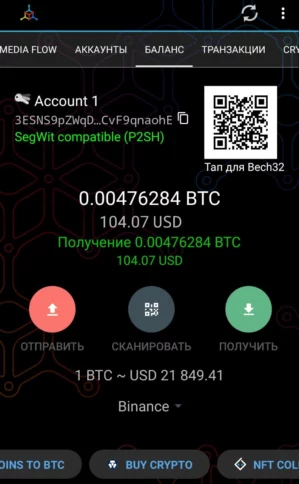
Advantages:
- Partial Russian language support,
- Free to use,
- Crypto purchases via bank cards,
- Hardware wallet integration,
- P2P trading platform included.
Disadvantages:
- Only supports Bitcoin and Ethereum (and their tokens),
- Contains a lot of third-party ads.
6. Phantom
Phantom is a crypto wallet intended for SOL (Solana). Users can create multiple wallets or import existing ones. Requires setting up a PIN code and a seed phrase. Supports connecting to decentralized apps.
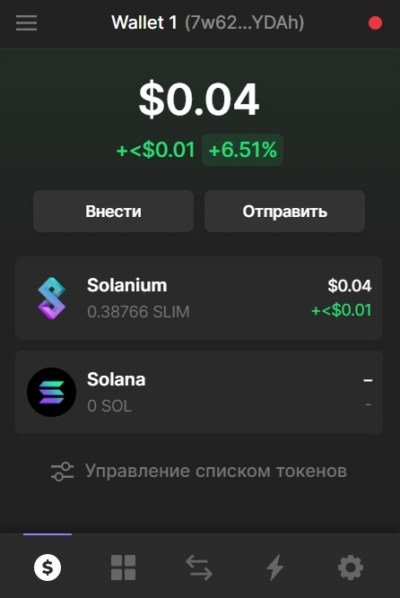
Advantages:
- Russian language support,
- Staking feature,
- Mobile version,
- Free to use,
- Supports NFTs.
Disadvantages:
- Only supports Solana and SLP tokens.
Safe Usage of Cryptocurrency Wallets
- Use multiple types of wallets for different goals to balance security and convenience.
- Don’t keep large amounts on online wallets. Prefer local wallets if you don’t want to buy hardware ones.
- Create and securely store copies of your seed phrases and passwords offline. Never store them on your phone or PC.
- Use PIN codes and different passwords to enhance security.
- Always double-check entered information. Transactions to wrong addresses cannot be canceled or reversed.
Conclusion
Cryptocurrency wallets are convenient tools for storing your digital assets. When choosing a wallet, focus on your needs — but reliability and security must always come first, as they protect your investments.
Read more in the Cryptocurrency section.