There are plenty of cryptocurrency wallets out there, but few are as convenient, versatile, and secure as Trust Wallet.
How to Install Trust Wallet: Step-by-Step Guide
1. Go to the official Trust Wallet website.
(Click the link here.)
2. Select “Download Mobile App.”
(If you’re using a PC, you can also install the browser extension.)
3. You’ll be redirected to either the App Store or Google Play. Download the app to your smartphone.
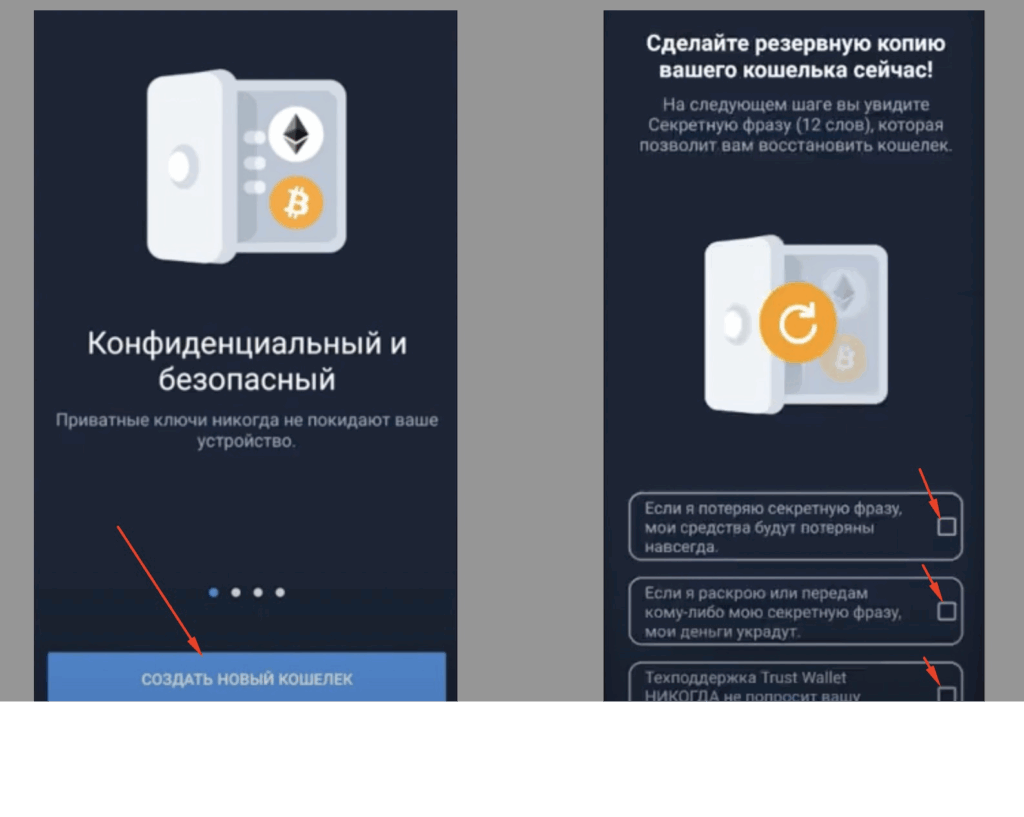
4. Open the app and choose “Create a New Wallet.”
Be sure to carefully read and accept the terms of use.
5. You’ll be shown a 12-word secret recovery phrase — write it down in three different safe locations.
This phrase is the only way to recover access to your wallet if you lose your device.
Never share your recovery phrase with anyone — anyone who has it can access your funds.
6. You’ll then be asked to re-enter the phrase to confirm you have saved it correctly.
Once you confirm, your wallet is officially created.
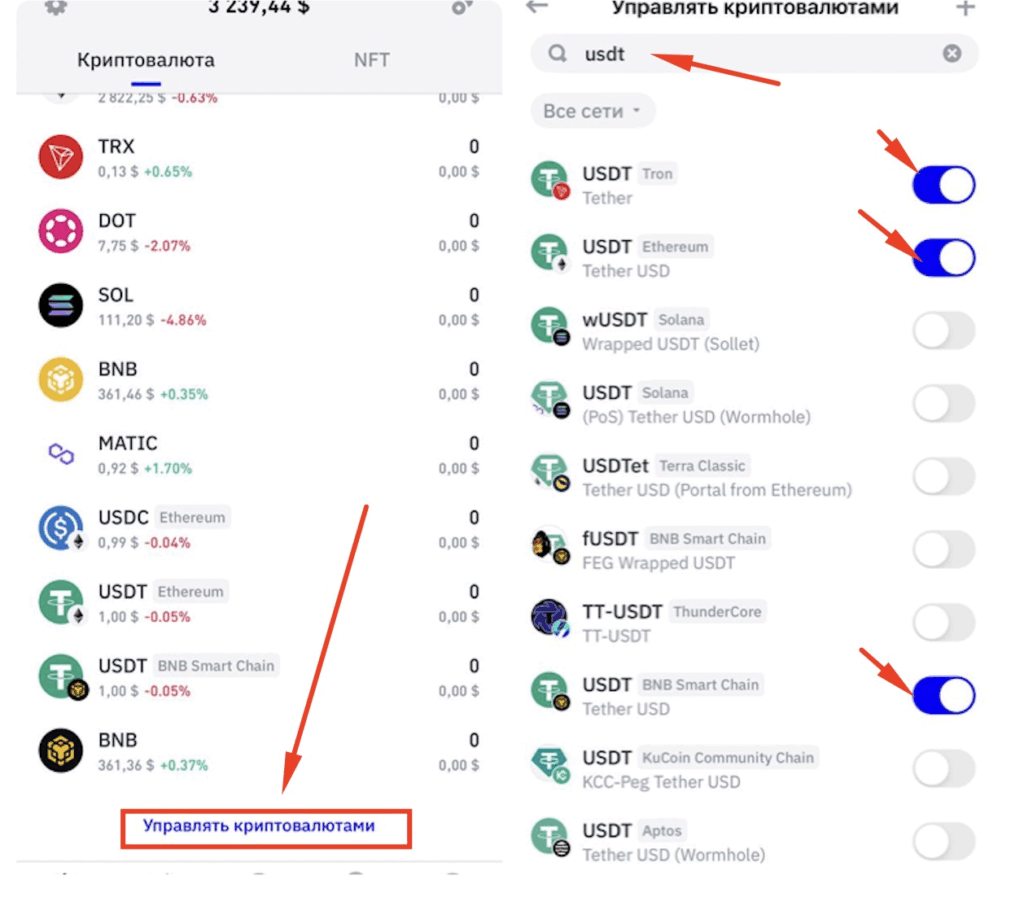
Adding Key Cryptocurrencies
To prepare your wallet for use:
- Tap on “Manage Tokens” at the bottom of the screen.
- Search for USDT and enable the following networks:
- USDT Tron (TRC20)
- USDT Ethereum (ERC20)
- USDT BNB (BEP20)
These are the networks you’ll most commonly use for transactions.
Congratulations — your Trust Wallet is now fully set up and ready to go!
How to Receive Cryptocurrency with Trust Wallet
To receive crypto:
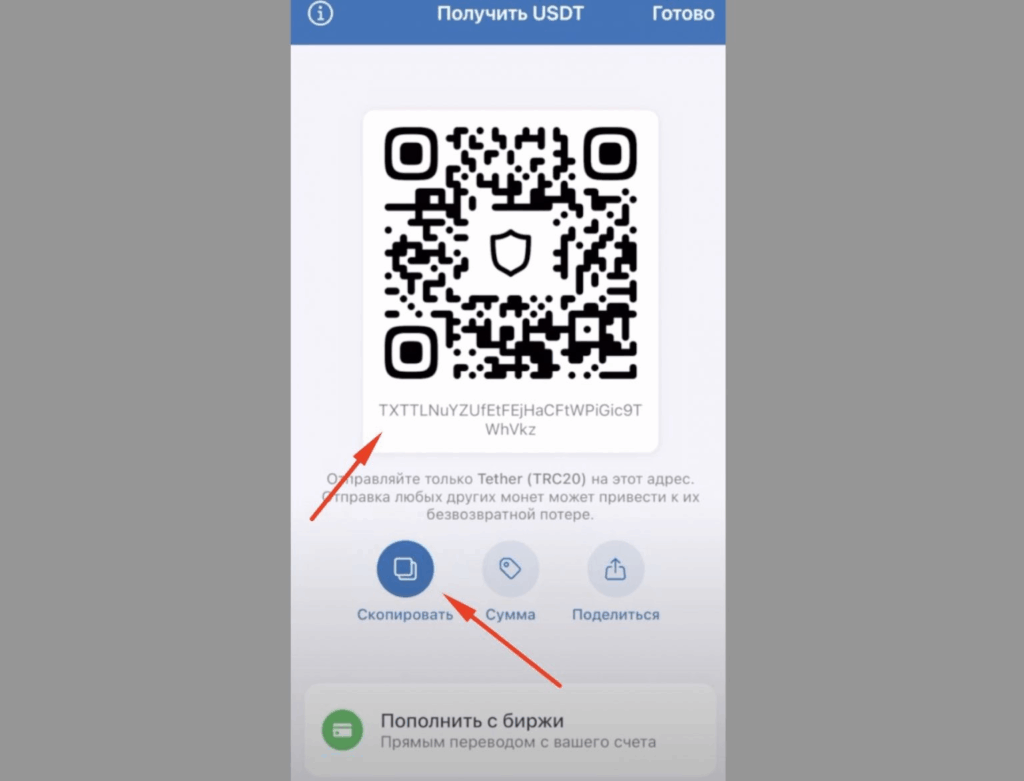
1. Find the specific token in your list (for example, USDT Tron (TRC20)).
2. Tap “Receive.”
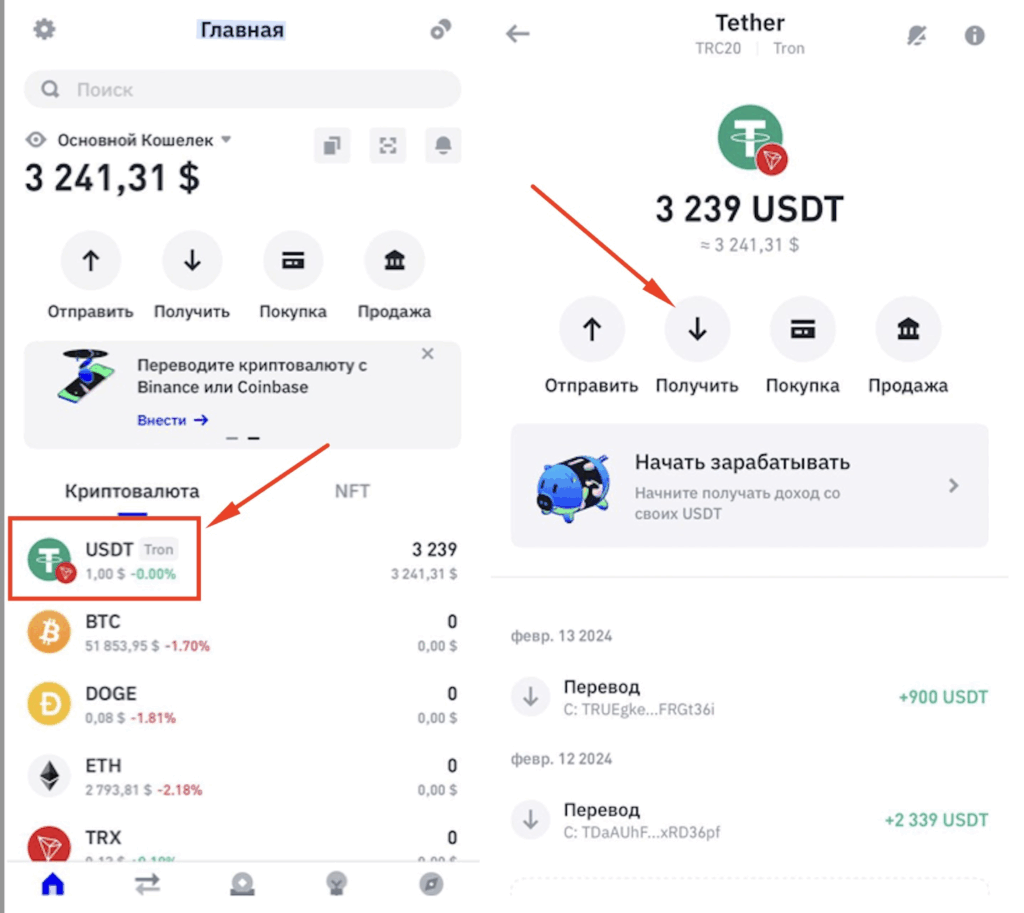
3. You’ll see your wallet address and a QR code.
4. Tap “Copy” and send the address to the person who will be transferring the funds.
How to Send Cryptocurrency from Trust Wallet
When sending crypto, remember: each blockchain network charges a small transaction fee, and the fee is paid in the network’s native token.
For example:
- If you’re sending USDT on the Tron (TRC20) network, you’ll need a small balance of TRX coins to cover the network fees.
How to send funds:
- Make sure you have enough coins to cover the fee.
- Tap the token you want to send and select “Send.”
- Enter the recipient’s address and the amount you wish to transfer.
- Tap “Next,” review the details, and confirm the transaction.
Once confirmed, the funds will be sent to the recipient’s wallet.
Want to Learn How to Profit from Cryptocurrency?
Join my Telegram channel where I share insights, strategies, and the latest updates on earning with crypto!